
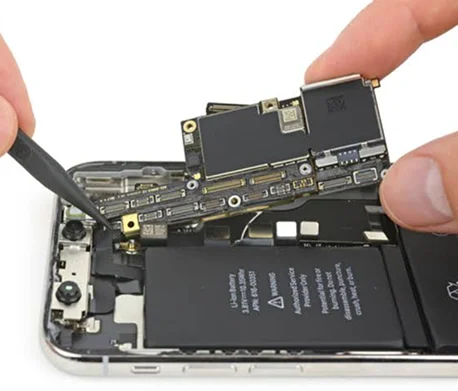
Common faults that need professional phone repair
Most repair decisions start with a simple symptom: a cracked screen, poor battery life, charging problems, water damage, overheating, camera faults, speaker issues, or a device that will not power on.
JD Phones checks the device first so the actual fault is identified before parts are fitted. That matters because similar symptoms can come from different components, especially after impact damage or liquid exposure.
- Screen replacement for cracked, blank, flickering, or touch-unresponsive displays
- Battery replacement for fast drain, random shutdowns, swelling, or poor health reporting
- Charging port repair for loose connections, intermittent charging, or cable detection issues
- Water damage assessment where corrosion or liquid residue may affect multiple parts
Why diagnostics should come before the quote
A professional diagnostic protects the customer from paying for the wrong repair. The technician checks the visible damage, tests core functions, confirms parts availability, and explains the likely repair path before work starts.
For complex faults such as data recovery, motherboard issues, overheating, or water damage, diagnostics can also show whether the repair is straightforward, specialist, or not economical.
JD Phones offers diagnostics so customers understand the fault, the cost, and the expected turnaround before approving the repair.
Choose the repair route that fits your day
Customers near Newcastle, Sunderland, or Heaton can walk into a JD Phones store for assessment and many common same-day repairs. If visiting a store is not convenient, the UK-wide mail-in service gives customers a tracked repair route from anywhere in the country.
Booking online is useful when you want to reserve a time, confirm the device model, and give the team a clear description of the fault before arrival.
- Walk in for common phone, tablet, laptop, console, smartwatch, and audio repairs
- Book online to reduce waiting time and confirm repair details
- Use mail-in repair when you are outside the local store areas
- Ask for documentation if you need repair evidence for an insurance claim
Aftercare tips once your device is repaired
A good repair should be followed by simple aftercare. Keep the device dry, avoid pressure on a new screen, use a reliable charger, back up important data, and speak to the repair team quickly if a fault returns.
For battery repairs, allow the replacement cell to settle through normal charging use and avoid heat-heavy habits such as leaving the device in direct sun or charging under bedding.
Frequently asked questions
Can I walk in without booking?
Yes. JD Phones accepts walk-in repairs at Newcastle, Sunderland, and Heaton. Booking online can still help reduce waiting time.
How long does a phone repair take?
Many common repairs are completed the same day, and straightforward repairs can often be finished in around 60 minutes depending on the model, fault, and parts availability.
Do repairs include a warranty?
Repairs are backed by JD Phones warranty support on eligible parts and labour. The team can explain the cover for your specific repair before work begins.
Can I send my device by post?
Yes. The UK-wide mail-in repair service lets you send your device securely when you cannot visit a local store.
Repair decisions are easier with the right diagnosis
The right repair starts with a clear diagnosis. If your device is cracked, draining quickly, not charging, overheating, water damaged, or simply unreliable, JD Phones can inspect it, explain your options, and help you choose the repair that makes sense.